PC gaming is an exciting hobby that not only builds practical skills like problem-solving, patience, and concentration but also offers gamers the chance to join social circles and make friends for life. However, games can be challenging, especially if you don’t have the right technology. Modern games are complex, and your PC needs to be capable of running them well to keep up with your team. In this article, we’ll be discussing why upgrading the parts in your computer can boost your in-game performance.
Avoid Missing Out on Gameplay
Often, PC gaming is a social hobby, and if you play with friends, it can be frustrating to miss out on gameplay opportunities while your computer loads up or completes updates. Up-to-date parts and components will have no problem loading up complex games, so upgrading as often as you can mean that you’ll avoid wasting time while you wait to get started. If you’re facing this problem already, then it might be time to upgrade your hard drive to an SSD – one of the biggest benefits of an SSD is the faster data loading times that you’ll experience. This way, you can enjoy what’s important, without the hassle of waiting around.
Improved Reaction Times
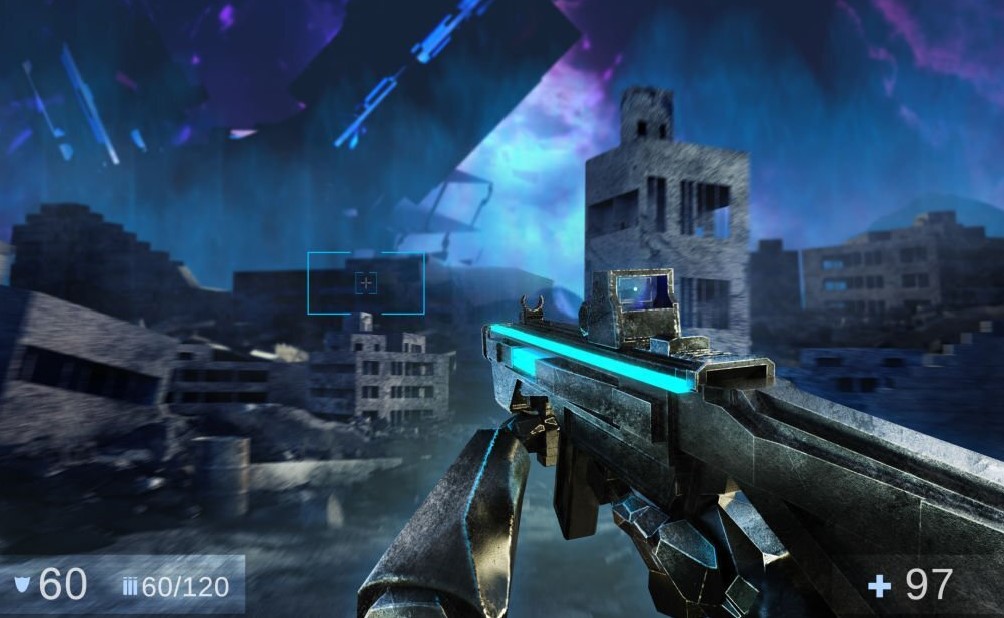
Whether you’re playing solo or in a team, reaction times are vital in computer games. You’ll need to have an awareness of each element of the map, as well as an understanding of where each of your enemies might be. For certain gaming styles, such as war or action games, you will often have to react within a split second, so you need top-quality graphics within your PC to support you. Upgrading to Intel® Arc™ technology not only offers crisp, clear visuals but also drives fast frame rates that increase your reaction time while playing, which can make a big difference in whether you win or lose.
Long-Term Cost Saving
There’s a common saying that if you buy cheap, you buy twice, and this is especially the case with gaming PCs. If you use cheap, low-quality parts, there is a high chance that you’ll face regular breakdowns or issues that require more frequent repairs or replacements. However, by investing in high-quality parts early on, you’ll spend less money repairing your PC throughout its lifetime, and this is a great way to cut costs in the long run. If you’re still worried about the lasting power of your PC, there are a number of ways to extend the lifespan of its parts and components.
PC gaming is a fun and engaging activity that provides a great way to wind down after a busy day or reach out to new communities. Having problems with your PC therefore not only affects your in-game performance but can also make it difficult to form authentic connections with others, so it’s vital that you upgrade wherever possible. Choosing an SSD card or going for high-quality Intel® Arc™ graphics is a brilliant choice, and one that will save you money in the long run – before you know it, your gaming performance will have improved massively, and you’ll have friends for life.
What to Upgrade First: A Priority Table
Not every upgrade helps the same amount. Use the table below to decide what to buy first. The best first upgrade depends on what is holding your PC back, which is called a bottleneck.
| Upgrade | What it improves | Upgrade first if |
|---|---|---|
| SSD | Load times and startup | You still use a hard drive |
| Graphics card (GPU) | Frame rate and visual quality | Games stutter or look bad |
| RAM (16 GB) | Smooth play and multitasking | You have 8 GB or less |
| CPU | Game logic and frame rate | Your CPU is old and slow |
| Monitor (144 Hz) | Smooth motion and reaction time | You use a 60 Hz screen |
How to Find Your Bottleneck Before You Spend Money
Open a game and check your frame rate. Use a free tool such as MSI Afterburner to see how hard your CPU and GPU are working. If the GPU is at 100% and the CPU is at 50%, the GPU is the bottleneck. Upgrade the GPU first. If the CPU is at 100% and the GPU is at 50%, the CPU is the bottleneck. Upgrade the CPU first. Check your RAM use too. If your RAM is full while you play, add more RAM. Check your storage. If your games are on a hard drive, move them to an SSD. An SSD does not raise your frame rate, but it cuts load times a lot. Do not buy a new part before you check. A wrong upgrade wastes money and changes nothing.
RAM, Storage, and Cooling: The Upgrades People Forget
Most modern games need 16 GB of RAM. With 8 GB, games can stutter when you open other apps. Add a second RAM stick of the same type and speed. Two sticks in dual-channel mode run faster than one stick. Storage matters too. A 1 TB SSD holds the operating system and several large games. Modern games can take 100 GB or more each. Check your case for dust. Dust blocks airflow and makes parts hot. Hot parts slow down to protect themselves. This is called thermal throttling. Clean the fans and filters with compressed air every few months. Add a case fan if your PC runs hot. Good airflow keeps your parts cool and fast.
How Much Should You Spend on a Gaming PC Upgrade?
Set a budget before you shop. A small upgrade, such as adding RAM or an SSD, costs under $100. A mid-range graphics card costs $300 to $500. A high-end graphics card costs $700 or more. Check that a new part fits your PC. A new GPU needs enough space in the case and enough power from the power supply unit (PSU). Check the PSU wattage before you buy a powerful GPU. A new CPU may need a new motherboard and new RAM. Check compatibility on the maker’s website or on a site such as PCPartPicker. Buy parts during sales, such as Black Friday, to save money. Keep your old parts. You can sell them or use them in a second PC.
Frequently Asked Questions
What is the best upgrade for a gaming PC?
It depends on your bottleneck. If you still use a hard drive, an SSD is the best first upgrade. If games stutter, a new graphics card helps most. If you have 8 GB of RAM or less, add RAM to reach 16 GB.
Does an SSD improve gaming performance?
An SSD cuts load times a lot, but it does not raise your frame rate. Games load faster, levels open faster, and your PC starts faster. Move your games to an SSD for the best effect.
How much RAM do I need for gaming?
Most modern games need 16 GB of RAM. With 8 GB, games can stutter when you open other apps. Use two RAM sticks of the same type and speed for dual-channel mode.
What is a bottleneck in a gaming PC?
A bottleneck is the slowest part of your PC. It limits how fast your games run. Use a tool such as MSI Afterburner to see which part is at 100% while you play. Upgrade that part first.
How often should I upgrade my gaming PC?
Upgrade as often as you need to, based on the games you play. A graphics card can last 3 to 5 years. An SSD or RAM upgrade can extend the life of your PC. Clean the dust out every few months to keep parts cool.
Disclaimer: This guide gives general information about upgrading gaming PCs. Parts differ by model and brand. Check compatibility and the maker’s official specifications before you buy.
Last Updated: 6 November 2026