Why Choosing the Best Website Builders Matters
If you’re new to creating a website, finding the best website builders can make all the difference. A beginner-friendly platform helps you launch a professional-looking site without needing coding skills. In 2025, several intuitive website builders stand out for their ease of use, affordability, and powerful features. Whether you’re starting a blog, an online store, or a portfolio, the best website builders provide drag-and-drop editors, customizable templates, and reliable hosting—all in one package.
With so many options available, it’s essential to pick a platform that aligns with your goals. Some website builders excel in eCommerce, while others focus on blogging or small business sites. By selecting one of the best website builders, you can save time, reduce frustration, and ensure your site looks polished from day one.
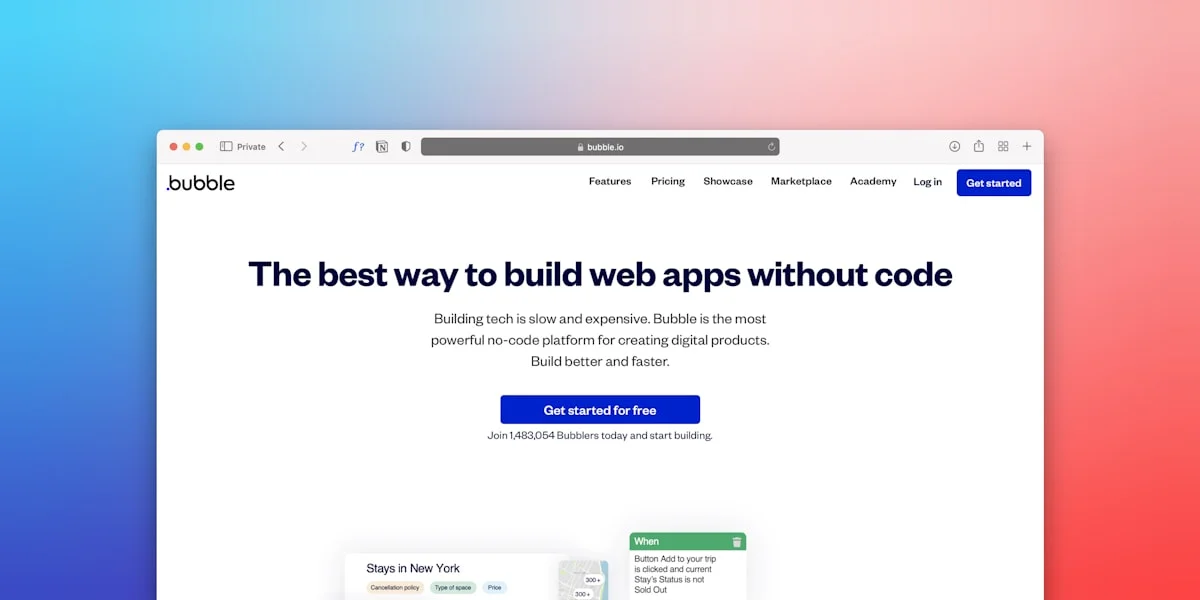
Key Features to Look for in a Website Builder
When evaluating website builders, certain features make a platform more beginner-friendly. A drag-and-drop editor is a must, allowing you to place elements exactly where you want them without touching code. Responsive templates ensure your site looks great on all devices, from desktops to smartphones. Additionally, built-in SEO tools help your site rank higher in search results, even if you’re new to digital marketing.
Another critical factor is customer support. The best website builders offer 24/7 assistance through live chat, email, or phone. This ensures you can get help quickly if you run into issues. Free trials or money-back guarantees are also valuable, letting you test the platform before committing. Finally, consider scalability—your website builder should grow with your needs, whether you’re adding products, expanding content, or increasing traffic.
Top Website Builders for Beginners in 2025
Several platforms dominate the market as the best website builders for beginners. Wix remains a top choice due to its intuitive interface and extensive template library. With hundreds of customizable designs, Wix makes it easy to create a unique site in minutes. Squarespace is another excellent option, known for its stunning templates and powerful blogging tools. It’s ideal for creatives who want a visually appealing site without technical hassle.
For those interested in eCommerce, Shopify stands out as the best website builder for online stores. Its user-friendly dashboard simplifies product management, payments, and shipping. Meanwhile, Weebly offers a balanced approach, combining simplicity with robust features for small businesses. Each of these platforms provides a seamless experience, making them perfect for beginners in 2025.
How to Get Started with Your Website Builder
Once you’ve chosen the best website builder for your needs, the next step is setting up your site. Start by selecting a template that matches your vision—most platforms let you preview designs before committing. Customize the layout, colors, and fonts to reflect your brand. Then, add essential pages like Home, About, and Contact. If you’re running a business, include product listings or service descriptions.
Don’t forget to optimize your site for search engines. Use the built-in SEO tools to add meta titles, descriptions, and alt text for images. Many website builders also offer integrations with Google Analytics, helping you track visitor behavior. Finally, publish your site and share it on social media to attract your first visitors. With the right website builder, launching a professional site has never been easier.
Final Thoughts on Choosing the Best Website Builder
Selecting the best website builder in 2025 depends on your specific needs and skill level. Beginners should prioritize ease of use, customization options, and reliable support. Whether you’re building a personal blog, an online store, or a business website, the right platform will streamline the process and deliver professional results.
By focusing on user-friendly features and scalability, you can create a site that grows with your ambitions. Take advantage of free trials to test different builders before making a decision. With the right tools, anyone can build a stunning website—no coding required.
WordPress.com vs WordPress.org: Do Not Mix Them Up
WordPress comes in two forms, and beginners often mix them up. WordPress.com is a hosted service. You sign up, pick a plan, and your site runs on their servers. It offers a free plan, and paid plans add a custom domain and more features. WordPress.org is free software you install on your own hosting account. It gives you full control over themes and plugins, but you must buy hosting and a domain yourself. If you want the simplest start, use a website builder or WordPress.com. If you want full control and plan to grow a large site, self-hosted WordPress.org is the stronger long-term choice. The post on affordable WordPress hosting linked above covers the hosting side in more detail.
Free Plans: What You Really Get
Most website builders offer a free plan, but free plans have limits. Wix has a free plan that gives you a Wix subdomain and shows Wix ads on your site. WordPress.com also offers a free plan with a WordPress.com subdomain. Weebly offers a free plan too. Free plans are good for testing a builder and learning how it works. They are not ideal for a business site, because your address looks less professional and ads you did not choose appear on your pages. When your site is ready to look serious, upgrade to a paid plan and connect your own domain name. A custom domain usually costs a small yearly fee, and most paid plans include a free SSL certificate, which shows the padlock in the browser.
How to Pick a Template That Fits Your Goal
Pick a template that matches what your site must do. For a blog, choose a clean layout with easy-to-read text and space for images. For an online store, choose a template with product pages, a cart, and a checkout flow. For a portfolio, choose a template with large images and simple navigation. For a business site, choose a template with a services page, a contact form, and customer reviews. Do not pick a template only because it looks pretty. Check that it works well on a phone, because most visitors will find you on mobile. Change the template before you add lots of content, because switching later means redoing your layout.
What to Do After You Publish
Publishing is only the first step. Connect a custom domain so your address is easy to remember. Add Google Analytics and Google Search Console so you can see who visits your site and which pages they read. Create matching social media profiles and link them from your site. Check every page on your phone to make sure buttons and text look right. Ask a friend to visit the site and try to find your contact page. If they struggle, simplify your menu. Update your site often with new posts or products, because a fresh site ranks better and gives visitors a reason to return.
Frequently Asked Questions
Do I need coding skills to use a website builder?
No. Website builders use drag-and-drop editors, so you place elements where you want them without writing code. You only need code if you want advanced custom features.
Which website builder is best for a small business?
It depends on your goal. Wix and Squarespace suit most small business sites, Shopify suits online stores, and Weebly suits simple business sites. Test a free plan first to see which one feels easiest.
Can I build a website for free?
Yes. Wix, WordPress.com, and Weebly offer free plans. A free plan gives you a subdomain and shows the builder’s ads, so upgrade to a paid plan when you want your own domain and no ads.
Can I switch builders later?
Yes, but it takes work. You can move your text and images, but you will need to rebuild the design in the new builder. Pick carefully at the start to avoid rebuilding later.
Do website builders include hosting?
Yes. Most website builders include hosting in the plan price. The only exception is self-hosted WordPress.org, where you buy hosting separately.
Disclaimer: Prices and free plans change often. Check each builder’s own website for the latest price before you buy. This guide gives general information only.
Last Updated: 6 November 2026